
One employee’s computer freezes, then a shared workflow stalls while everyone waits for a fix. Business computer repair services like First Help Tech can help restore your team’s ability to work, but the immediate problem is only part of the picture. If the same issue keeps returning, it’s worth finding out whether the cause goes beyond one device.
When you don’t have in-house IT staff, it can be hard to tell whether a problem needs a one-time fix or broader support. Start by noting the error message, when the issue began, and which employees or applications are affected. That information helps distinguish an isolated computer problem from a wider issue with a shared system, network, or application. The steps below can help you respond clearly, reduce disruption, and decide when ongoing IT support may make sense.
Key Takeaways
- Business computer repair services should address the fault disrupting work and help determine whether the cause reaches beyond one device.
- Before reporting an issue, note its symptoms, identify the work affected, and protect important files.
- Avoid repeated restarts or unapproved changes that could risk unsaved work or make the problem harder to diagnose.
- Recurring issues or problems across several users can be a reason to consider ongoing IT support alongside the immediate fix.
Business computer repair services: what help does a company actually need?
Business computer repair services diagnose and resolve faults that keep employees from doing their work. That could mean investigating a computer that won’t start, finding out why an essential application won’t open, or tracing a slowdown that affects a shared system. A computer repair technician can investigate hardware and software issues. In a business setting, it’s also important to understand how the issue affects daily operations and whether other people rely on the same system.
Assess a computer problem by the work it blocks, not just by the device showing an error. If one employee’s computer fails while colleagues can access the same tools, the problem may be limited to that device. If several people can’t reach an application, shared files, or the network, the cause may sit elsewhere in the business setup. Check with affected coworkers and note exactly which tools they can’t use. This gives IT support a clearer starting point.
Which computer problems can interrupt everyday business work?
A startup failure can leave an employee unable to begin the day. Slow performance can turn routine tasks into a wait, while trouble accessing work applications may block customer service, scheduling, or document review. Before anyone tries a fix, capture the details:
- Device: Note which computer or user is affected.
- Symptoms and timing: Record what happens, any error message, and when the issue began.
- Work blocked: Name the application, shared system, or task the employee can’t use.
- Scope: Ask whether coworkers see the same problem and whether they can access the same resource.
If you suspect a security incident, treat it differently from an ordinary performance problem. Don’t keep experimenting, delete files, or change settings. Report what you noticed to your designated IT or security contact and follow your organization’s response process. Share the time the issue appeared and the message or behavior you observed. Clear notes help the right people assess the situation without adding uncertainty.
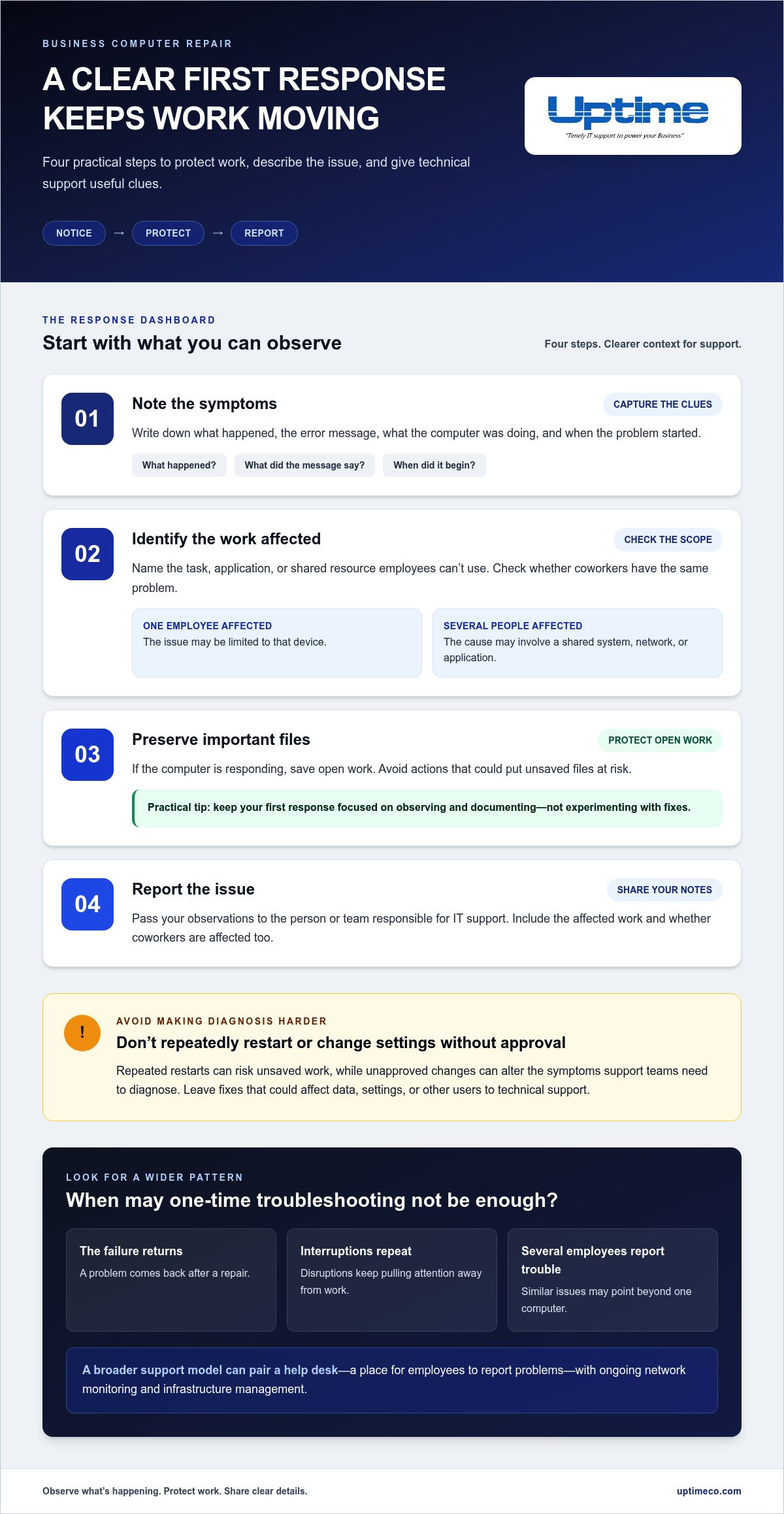
How to handle a business computer problem before it disrupts more work
A clear first response can protect work and give technical support useful clues. Keep the steps simple:
- Note the symptoms. Record the error message, what the computer was doing, and when the problem started.
- Identify the affected work. Note which task, application, or shared resource employees can’t use, and whether coworkers are affected too.
- Preserve important files. Save open work if the computer is responding. Avoid actions that could put unsaved files at risk.
- Report the issue. Share your notes with the person or team responsible for IT support.
Don’t repeatedly restart a computer or make unapproved setting changes just to see if something works. These steps can risk unsaved work or change the symptoms support teams need to diagnose. Observe and document what’s happening first; leave fixes that could affect data, settings, or other users to technical support. For broader guidance on technology and security practices, Digital.gov offers resources for digital services.
When is one-time troubleshooting no longer enough?
A failure that returns after a repair, repeated interruptions, or similar trouble across several employees may point to an issue beyond one computer. A help desk gives employees a place to report problems and can help connect related incidents. Proactive monitoring can also provide visibility into systems and infrastructure over time. If business computer repair services keep addressing symptoms but disruptions return, consider whether managed IT services would provide a more consistent support approach. Uptime Co. provides managed IT support that combines help desk support with ongoing network monitoring and infrastructure management. If recurring computer issues are taking focus away from work, explore Uptime Co.’s managed IT support.
Business computer repair services in Orange County: build support around uptime
A one-time repair can address a specific fault. Ongoing managed IT support takes a wider view by giving employees a help desk for technology issues and pairing that support with monitoring and infrastructure management. This approach helps your team handle current disruptions while keeping track of patterns that could point to broader technology problems. It’s a practical alternative to treating every interruption as an unrelated device failure.
What does ongoing business IT support look like in practice?
When a work device or business system interrupts a task, employees can report the issue to the help desk and explain what’s affected. Meanwhile, 24/7 network monitoring and infrastructure management provide ongoing visibility into the environment. When similar reports come in, that context can help support teams recognize possible connections instead of treating each interruption as an isolated event.
Repair guides from iFixit can explain how device repairs work, but business technology also includes the systems employees rely on together. Ongoing oversight complements troubleshooting by taking the wider setup into account. For example, if several employees report trouble accessing the same application, the team can record that shared impact rather than assuming each computer has a separate fault.
Uptime Co. is based in Brea and supports organizations in Orange County. If an issue involves a suspicious login, unexpected security alert, or other possible threat, treat it as a security concern and follow your organization’s reporting process. Uptime Co.’s cybersecurity services in Orange County address security as part of business technology support.
If recurring interruptions are pulling employees away from their work, explore Uptime Co.’s managed IT support. Help desk support and ongoing oversight give your team a broader support model to consider alongside one-time business computer repair services.
Build a steadier path for your team
Your team shouldn’t lose momentum every time a computer or shared system falters. Business computer repair services can address an immediate fault, but a support plan can also help your people stay focused as technology needs change.
Founded in 1994, Uptime Co. brings more than 30 years of IT administration and technology consulting experience. Its managed IT services pair help desk support with 24/7 network monitoring, connecting employee assistance with ongoing visibility into business technology.
Before deciding what support makes sense, jot down recurring issues and the work they interrupt. Note which teams rely on affected applications and whether problems involve one device or shared systems. Those details create a useful starting point for a conversation about your team’s needs and where ongoing support could fit. A clearer picture makes it easier to plan ahead rather than simply react to the next disruption.
Talk with Uptime Co. about managed IT support for your business and take a practical next step toward keeping your team moving.
Frequently Asked Questions
Can a managed IT provider help with a business computer that will not start?
Yes. A managed IT provider can help diagnose why a work computer won’t start and guide the next support steps. Before reporting it, note whether any indicator lights appear, whether the screen displays a message, and whether the issue began after a change. Avoid opening the device or trying unfamiliar recovery steps, which could complicate diagnosis or put data at risk.
When should a business use managed IT support instead of one-time computer repair?
Consider ongoing support when technical problems repeatedly pull employees away from work or your team has no clear owner for IT follow-up. Business computer repair services can address an immediate fault, while managed IT support adds a continuing point of contact and helps your organization plan its technology needs. It can be especially useful if you don’t have an internal IT lead.
Can computer problems be a sign of a cybersecurity issue?
Yes, though a slow or unresponsive computer can have many causes, so symptoms alone don’t prove an attack. Treat unexpected password prompts, unfamiliar sign-ins, security warnings, or files behaving strangely as signals to report. Use a separate trusted channel to alert your IT or security contact. Don’t click suspicious links or delete messages that may help with an investigation.
Does Uptime Co. provide business computer support in Orange County?
Yes. Uptime Co. provides managed IT support for organizations in Orange County, including businesses, nonprofits, and government entities. To make an initial discussion more useful, outline which teams depend on which applications, where technology problems disrupt work most, and whether you have internal IT staff. That gives the conversation a practical starting point without requiring a technical diagnosis.